Email Authentication Requirements
Email marketing is a digital marketing strategy that involves sending emails to a targeted group of individuals with the goal of promoting products, services, or building relationships with customers. It is a direct form of communication that allows businesses to connect with their audience in a personalized way.
Popular email marketing companies include MailerLite, Mail Chimp, Constant Contact, Get Response and Active Campaign. They all provide different options for creating email campaigns, analytics, data tracking and opt-in forms (for subscribers to join your email list). One thing they all have in common is the ability to send emails to your contacts “from” a specific email address. The sender email address is one you define in your account settings. Why is this important?
In order to provide a more secure and spam free email environment (your in box), both Google and Yahoo implemented new email authentication requirements in February 2024. Have you updated your accounts since then?
Best Practices Will Be Required
It is always preferred to send your email campaigns from a domain email address – not from an iCloud, Gmail or Yahoo email address. This is important because you cannot authenticate an email address unless it’s for a domain you own. For example, info@websitesbytheresa.com is a domain email address I’ve authenticated with my domain registrant company.
Google and Yahoo are turning “best practices” for email authentication into mandatory requirements. Meaning… Senders who don’t comply with the new requirements will have issues getting their emails delivered. Simply put – your emails will end up in spam, junk or the emails will be blocked entirely.
See below for a recent email I received. Gmail flagged it as spam and placed a large warning on it. No one wants this message on their emails.
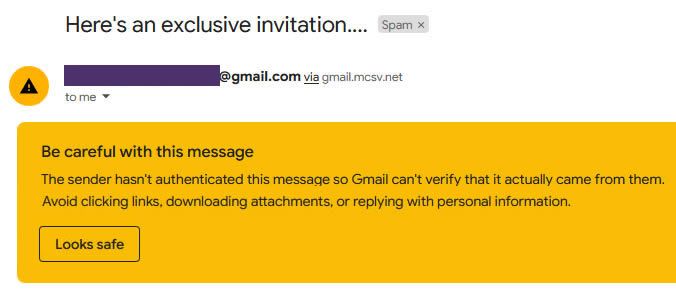
This unauthenticated email sent via Mail Chimp to gmail went directly to spam.
How to Get Compliant
There are a few simple steps to take to ensure you are in compliance with the new authentication requirements.
- Use a domain email address to send email campaigns.
- Authenticate your emails using DKIM, SPF, and DMARC (DNS records for your domain).
- Allow people to unsubscribe by clicking just one link, and honor unsubscribes within two days.
- Reduce spam and maintaining a spam complaint rate under 0.1%.
This can seem daunting, but not to worry! This is all easily accomplished with experienced technical support by your side.
Need help? Send a message.
Domain Health Checker
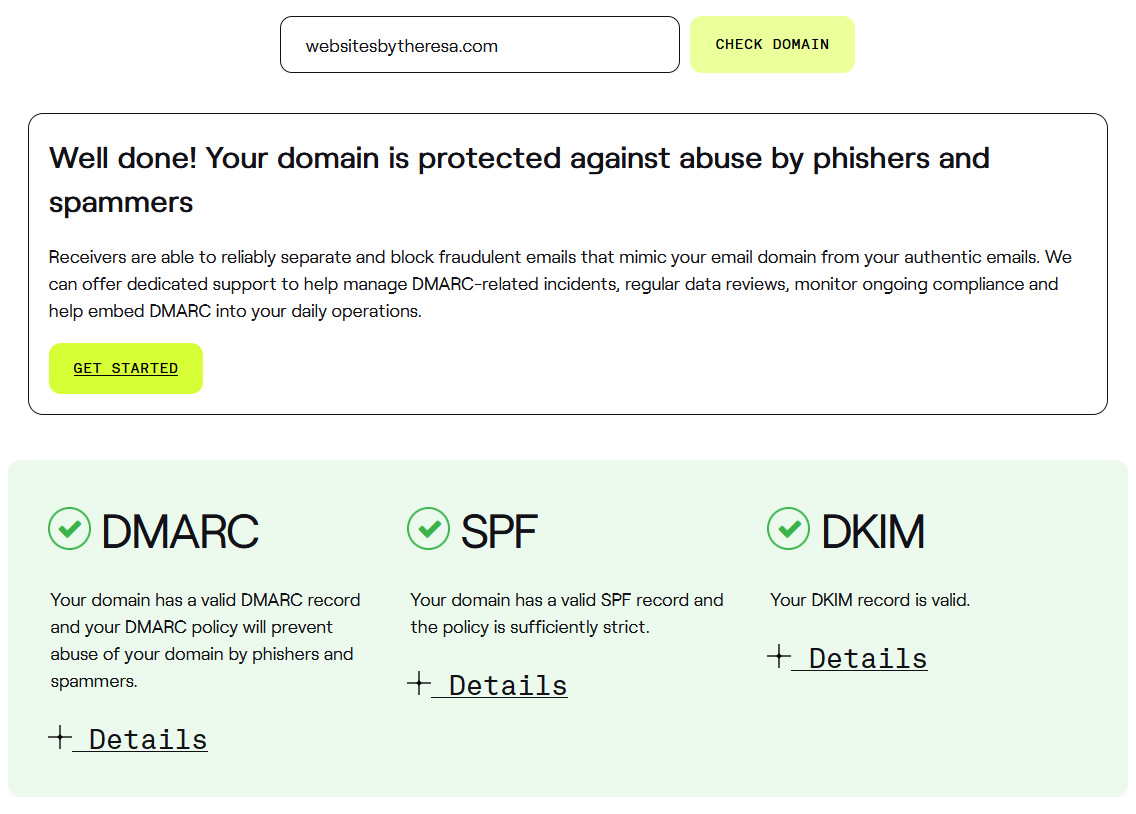
Want to see if you have the proper records in place for your domain? Here’s a free tool that provides the answer.
Scroll to enter in your domain and click the Check Domain button. Within minutes you will have a report.
Here’s what you want the results to look like…